You build great HTML5 banner ads. ADExhibit handles the preview, validation, fixing and client sign-off — so you spend less time on email chains and more time on billable work.
Upload your HTML5 ad ZIPDrag & drop any banner set
Preview, validate & auto-fixCatch errors before your client does
Share a preview linkOne link — no client login needed
Get approval & deliverPlatform-ready ZIP, first time
You didn't get into HTML5 ad production to chase approvals or debug click tags at midnight.
Platforms reject your banners for broken click tags or wrong exit events. Each rejection delays the campaign and damages your reputation with the client.
You send a ZIP, the client can't open it. You send screenshots, they want video. You email back and forth for days over what should be a five-minute review.
Checking every banner size manually across every platform spec is tedious, error-prone and unpaid. It's time you could spend on the next project.
Show clients exactly what they're approving.
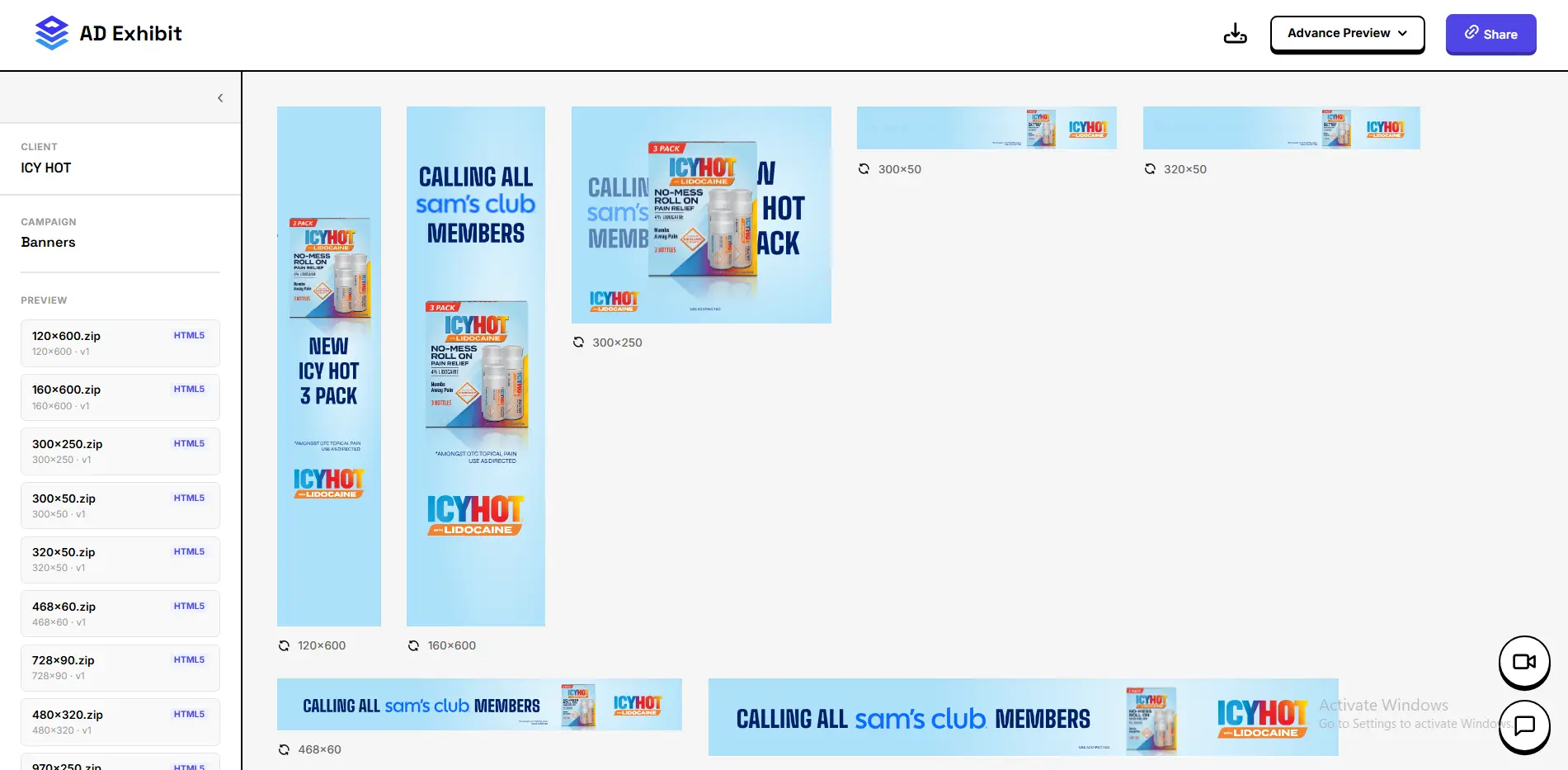
Upload your HTML5 ZIP and get an instant live browser preview of every banner size — 300×250, 728×90, 160×600 and every other IAB format. No emulation, no screenshots, no 'it looks different on my machine.' The same render engine your ad platform uses, right in the browser.
HTML5 Ad Preview
— add screenshot here
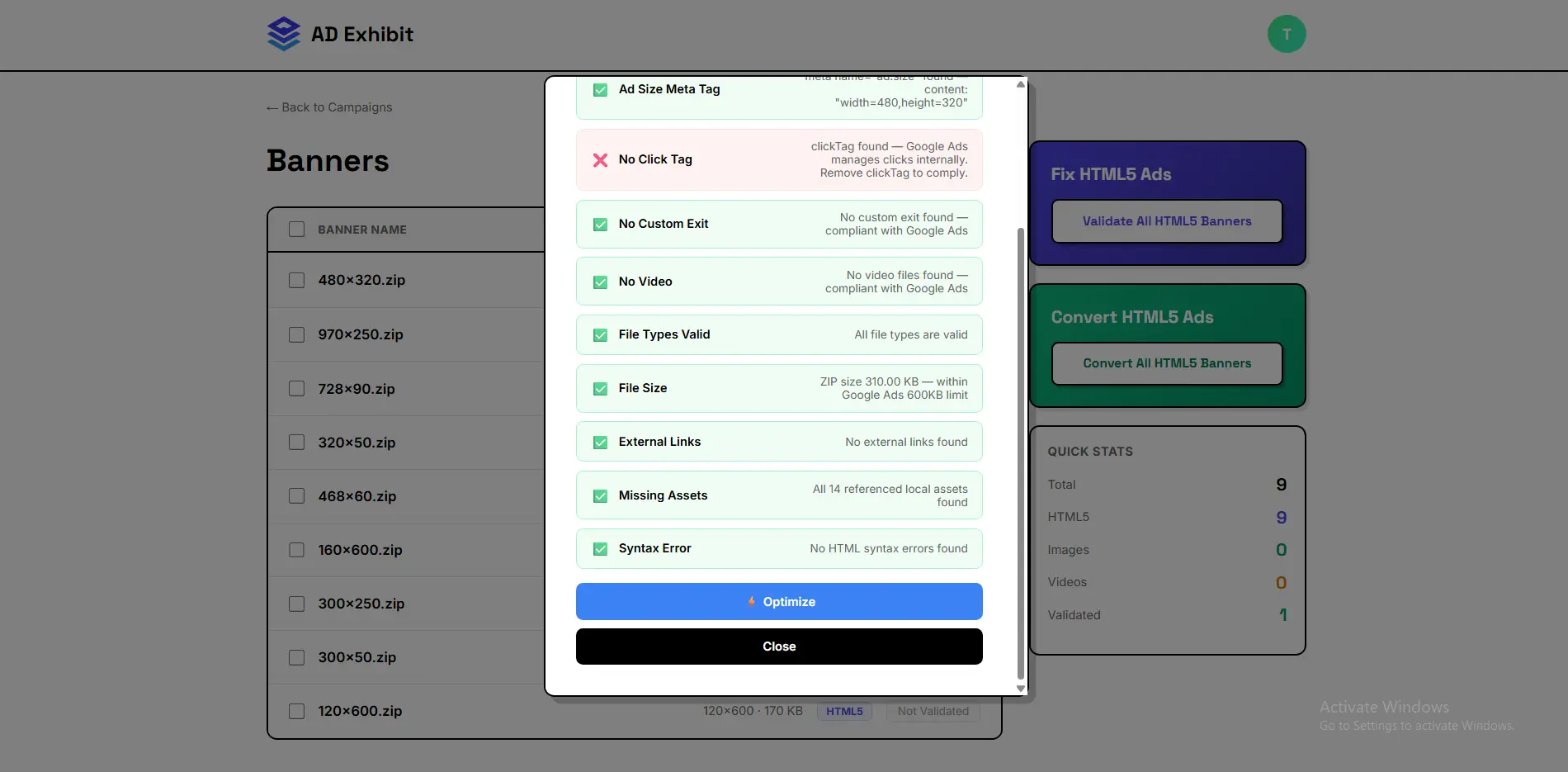
Validation & Auto-Fix
— add screenshot here
Stop getting creatives rejected. Know exactly what's wrong before you submit.
ADExhibit checks every banner against Google Ads, DV360, CM360, IAB and 15+ other platform specs in seconds. Broken click tags, oversized files, missing backup images, incorrect exit events — it finds everything and fixes it automatically. Download a platform-ready ZIP that passes review on the first submission.
Replace the ZIP attachment with a link your client can open on any device.
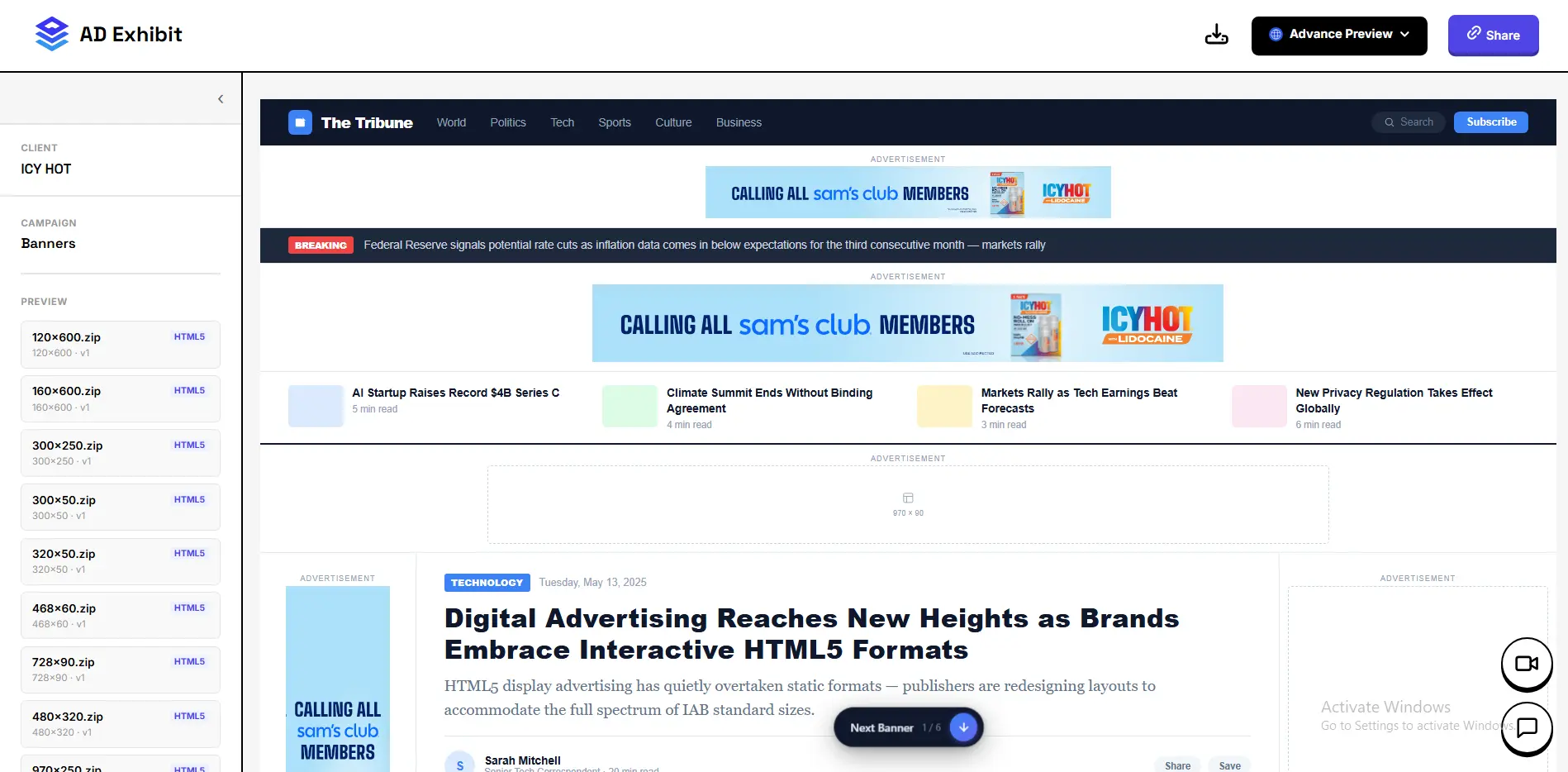
Generate a shareable preview link for any campaign. Your client opens it on their phone, tablet or desktop and sees every creative in a clean, professional view — with social media and website mockups showing exactly how each ad looks in context. They can leave feedback and approve directly in the preview. No login, no confusion.
Client Preview Link
— add screenshot here
I used to spend an hour per project chasing click tag errors and explaining ZIPs to clients. Now I send one link and get approval the same day.
Everything you need to know about using ADExhibit for your workflow.
Not at all. ADExhibit is built for HTML5 ad producers of all levels. If you can zip a banner folder and upload it, you can use every feature — including validation, fixing and client previews.
Standard static HTML5 banners, animated banners, playable ads, interactive HTML5 ads, responsive banners — if it's a ZIP with an HTML file inside, ADExhibit handles it.
Yes. Client preview links are public — your client just clicks the link and sees every creative instantly. No signup, no login, no friction.
Yes. ADExhibit detects broken, missing or incorrectly formatted click tags and fixes them automatically for each target platform. It also handles DV360 custom exits, CM360 click tags, Google Ads click trackers and more.
Professional preview links make you look polished and reliable. Faster approval cycles mean you can take on more projects. First-time platform approvals mean no expensive delays. Together they make you the freelancer clients come back to.