Tools

HTML5 Ad PreviewLive browser preview for all banner sizes HTML5 Ad ValidatorCheck compliance for Google Ads, DV360 & more HTML5 Ad FixerAuto-fix click tags, file sizes & platform errors ClickTag ValidatorVerify click tags are set up correctly

Company

Features Pricing Blog About

Industries

For Freelancers For Ad Agencies For In-House Teams
Everything you need

Every feature your
ad team needs

From HTML5 banner preview and validation to client approvals and team collaboration — ADExhibit is the complete platform for managing ad creatives.

See Pricing

Built for every HTML5 ad format

Whatever type of HTML5 banner you're building, ADExhibit handles it — out of the box.

Standard HTML5 Ads

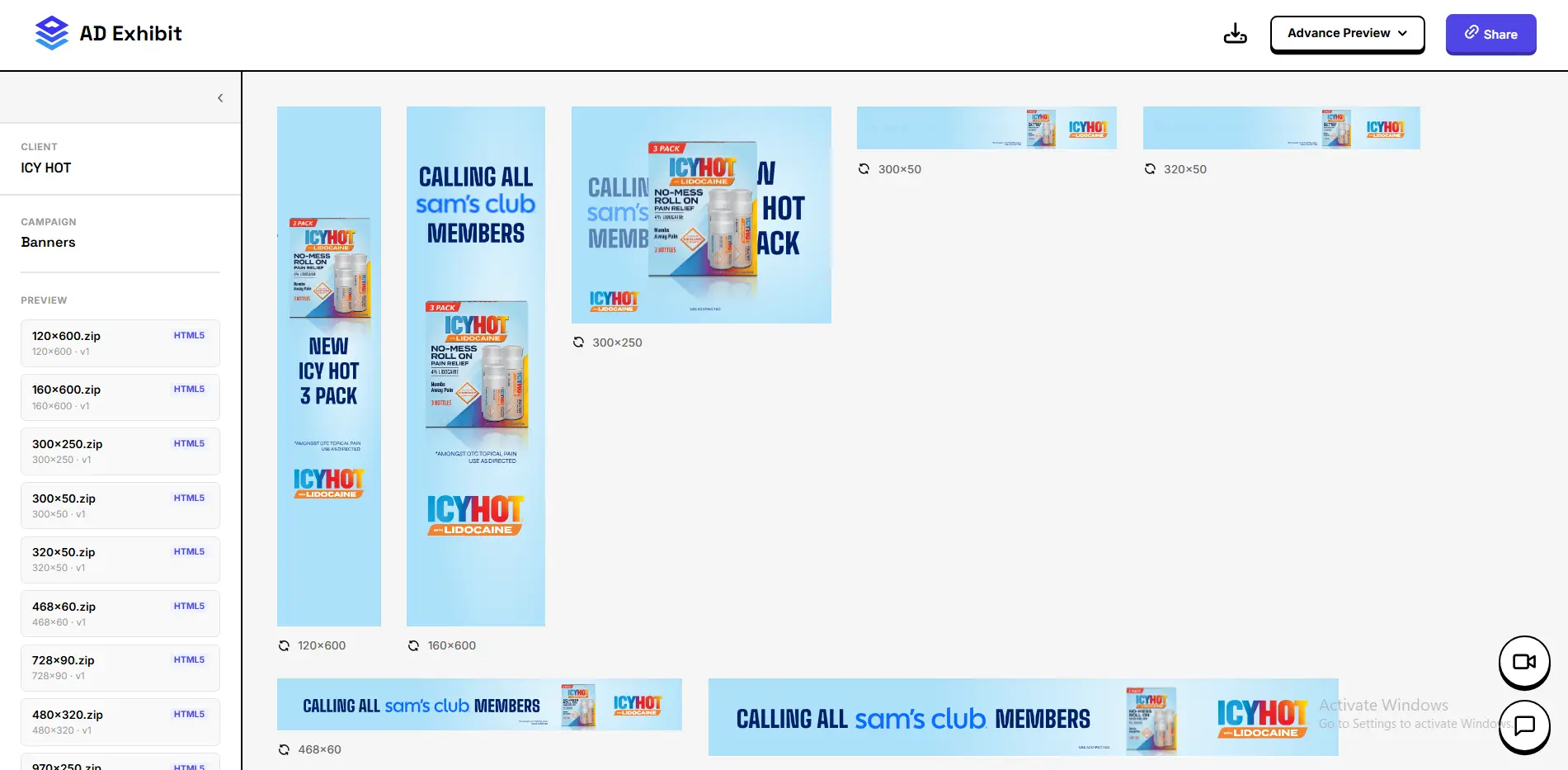
Classic banner ads in all IAB sizes. Preview every dimension side by side with a live browser render.

Playable HTML5 Ads

Interactive playable formats with full interaction support — test click-throughs and game mechanics before launch.

Interactive HTML5 Ads

Ads with forms, carousels, video, and custom interactions. Preview every state of the creative accurately.

Responsive HTML5 Ads

Fluid banners that scale across devices and placements. See how your creative renders at any viewport width.

15+
Ad platforms
validated against
100%
Browser-accurate
live previews
5x
Faster client
approval cycles
Clients, campaigns
& team members

HTML5 Ad Preview
— add your screenshot here

01 — Preview

Live browser preview
for every banner size

See exactly how your HTML5 ads render — before a single impression is served.

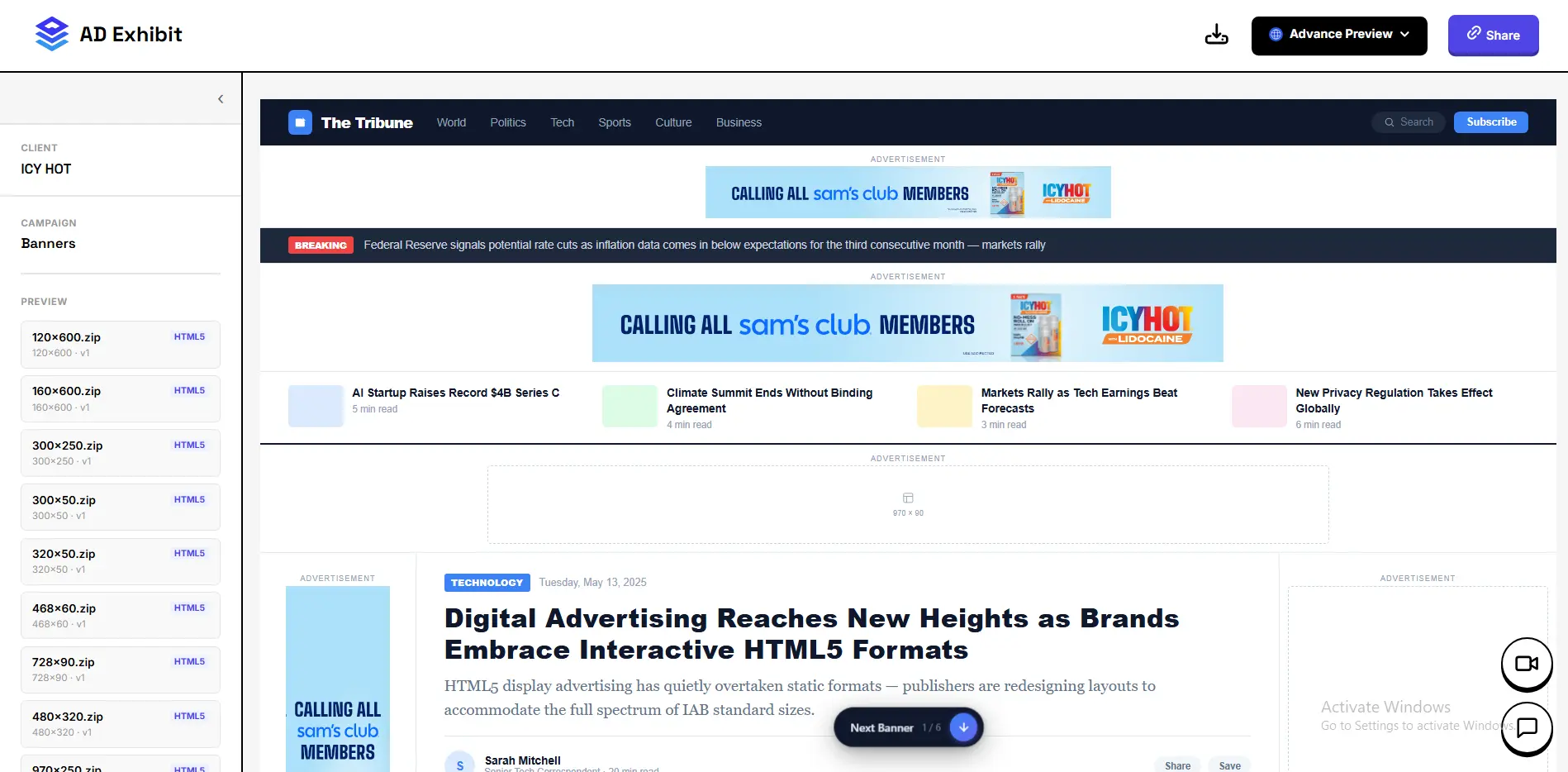
Upload your HTML5 ZIP and instantly see every banner size rendered live in the browser. No emulation, no guesswork — the same engine your ad platform uses. Switch between sizes in one click, replay animations, and catch visual bugs before they reach your client or go live on a platform.

All IAB sizes Side-by-side view Replay animations ZIP upload Multi-banner support
Try the preview tool →

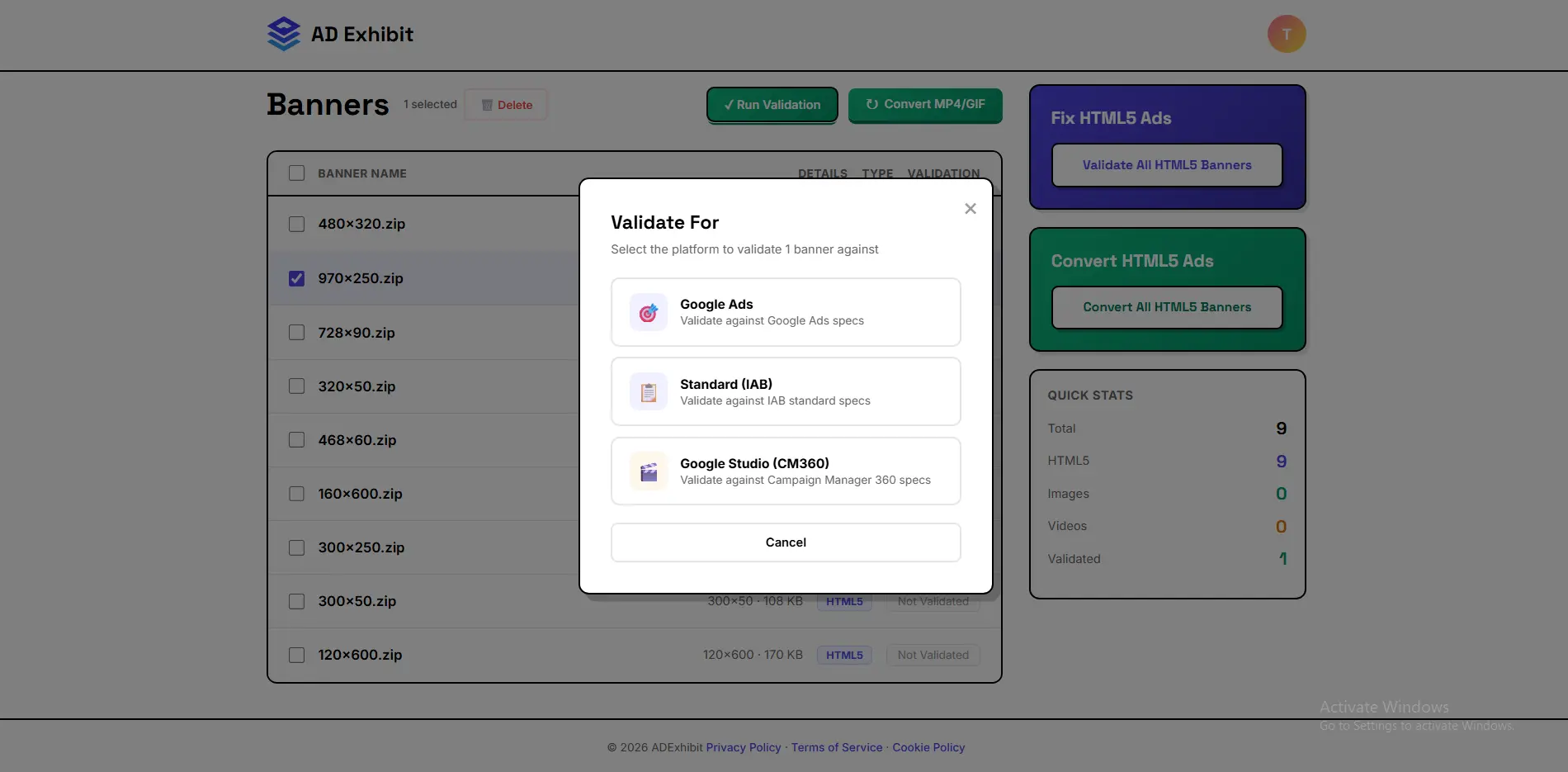
Validation Report
— add your screenshot here

02 — Validation

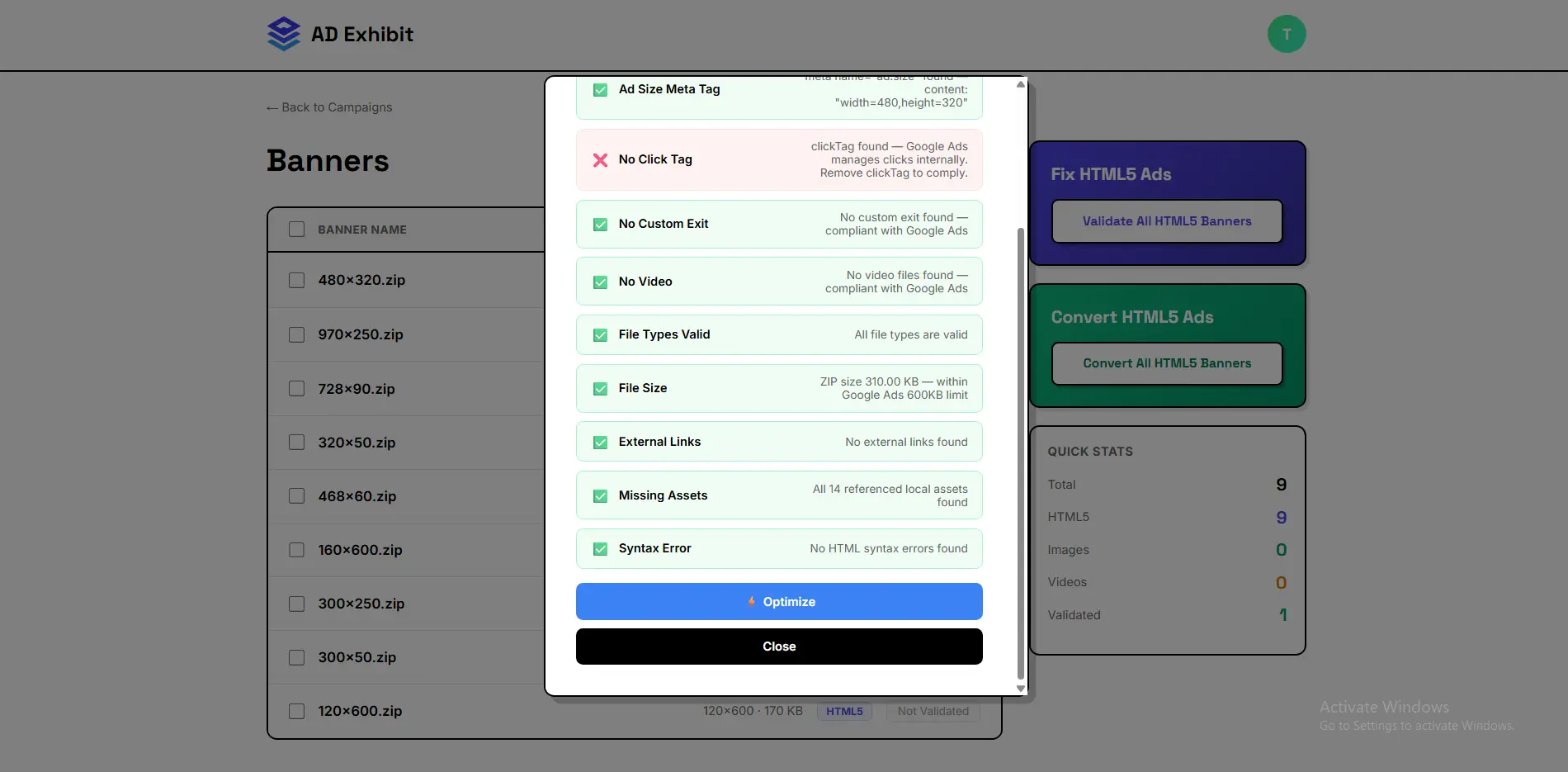
Validate against every major ad platform

Stop getting creatives rejected. Know exactly what's wrong before you upload.

ADExhibit checks your HTML5 banners against the rules of every major ad platform in one report. File size limits, click tag formats, custom exit requirements, backup images, metadata, and restricted scripts — every rule, every platform, checked automatically. Know what passes and what needs fixing before you ever submit.

Google Ads DV360 CM360 Microsoft Ads IAB Standards Ströer Bitmedia
Try the validator →

Auto-Fix Results
— add your screenshot here

03 — Auto-Fix

One click to fix platform errors

Stop debugging HTML5 ad errors manually. ADExhibit fixes them for you.

Broken or missing click tags, incorrect DV360 custom exits, oversized files, missing backup images, wrong metadata, incompatible scripts — ADExhibit detects every error and fixes it automatically. Download a platform-ready ZIP that passes review on the first submission, every time.

Click tag repair File size optimisation Custom exit fix Backup image injection Metadata correction Script sanitisation
Try the fixer →

Social & Website Mockup Preview
— add your screenshot here

04 — Mockups

Show ads in real-world context

Clients approve faster when they can see the ad where it will actually appear.

ADExhibit's advanced mockup preview renders your ad creatives inside real social media and website environments. Show an Instagram Story, a Facebook feed post, a TikTok ad, a Reddit sponsored post, or a banner inside a realistic website layout — all from a single shareable link. No design work required, no screenshots to stitch together.

Instagram Facebook TikTok Reddit X / Twitter Website mockup Shareable link

Campaign Manager
— add your screenshot here

05 — Campaigns

Organise every campaign and client in one place

Keep all your ad creatives organised by client and campaign — not scattered across drives and inboxes.

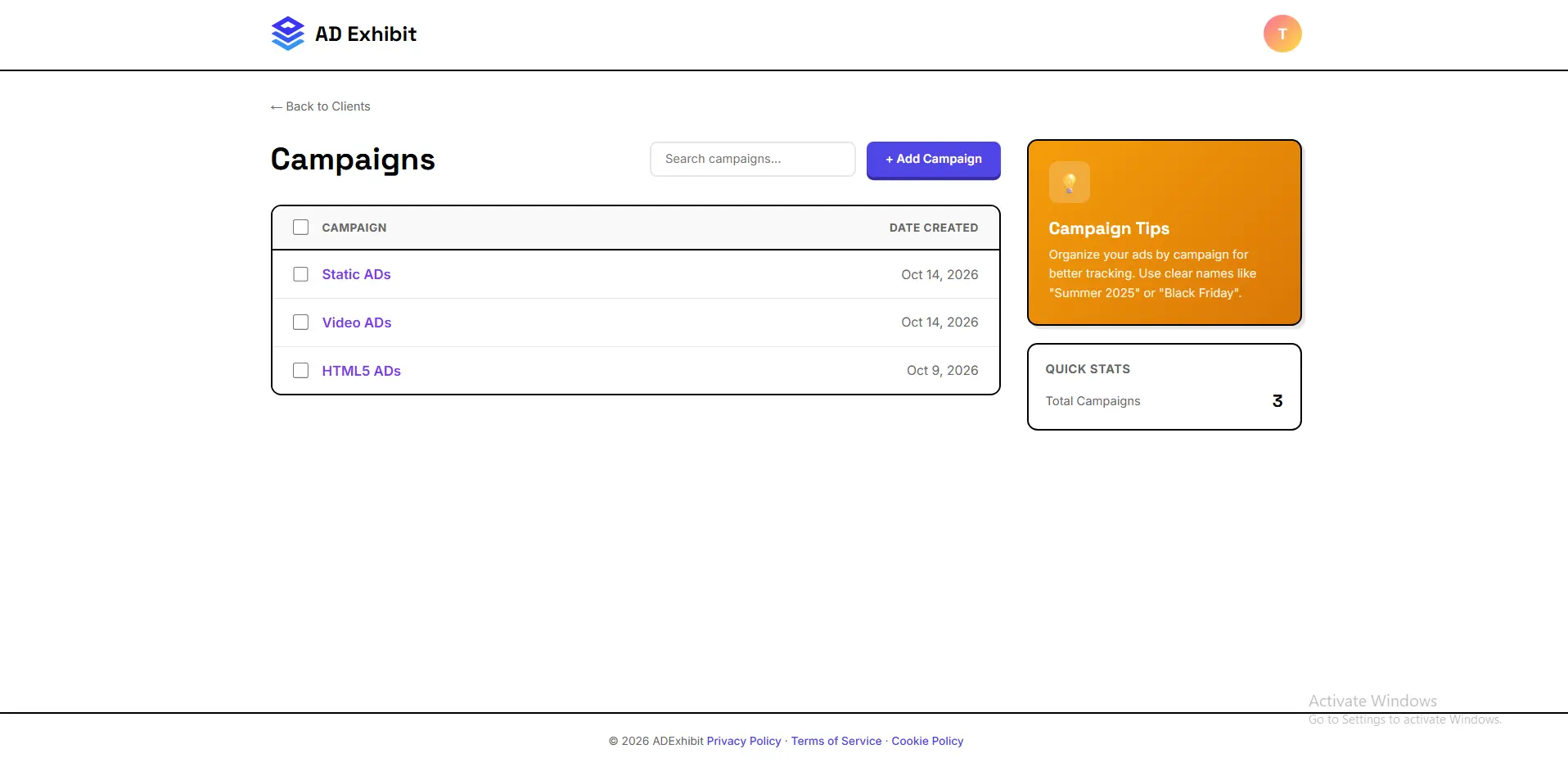
Create unlimited campaigns, assign them to clients, and upload all your ad creatives in one organised workspace. HTML5 banners, image ads, GIFs, and video ads all live together. Generate a single shareable preview link per campaign and send it to your client — they see everything in one clean, branded view without needing a login.

Unlimited campaigns Unlimited clients HTML5 banners Image & GIF ads Video ads Campaign preview links

Client Approval Flow
— add your screenshot here

06 — Approvals

Get client sign-off without the back-and-forth

Replace long email chains with a single preview link clients can approve in seconds.

Share a campaign preview link with your client. They see every ad creative in a clean, professional view — complete with mockups showing exactly how the ad looks in a real platform environment. Clients can leave feedback and approve directly in the preview. No account needed on their end, no confusion about which version is current.

No-login client access In-preview feedback Mockup context Version control One link per campaign

Team Workspace
— add your screenshot here

07 — Teams

Your whole team in one workspace

Built for agencies where multiple people work on the same campaigns and clients.

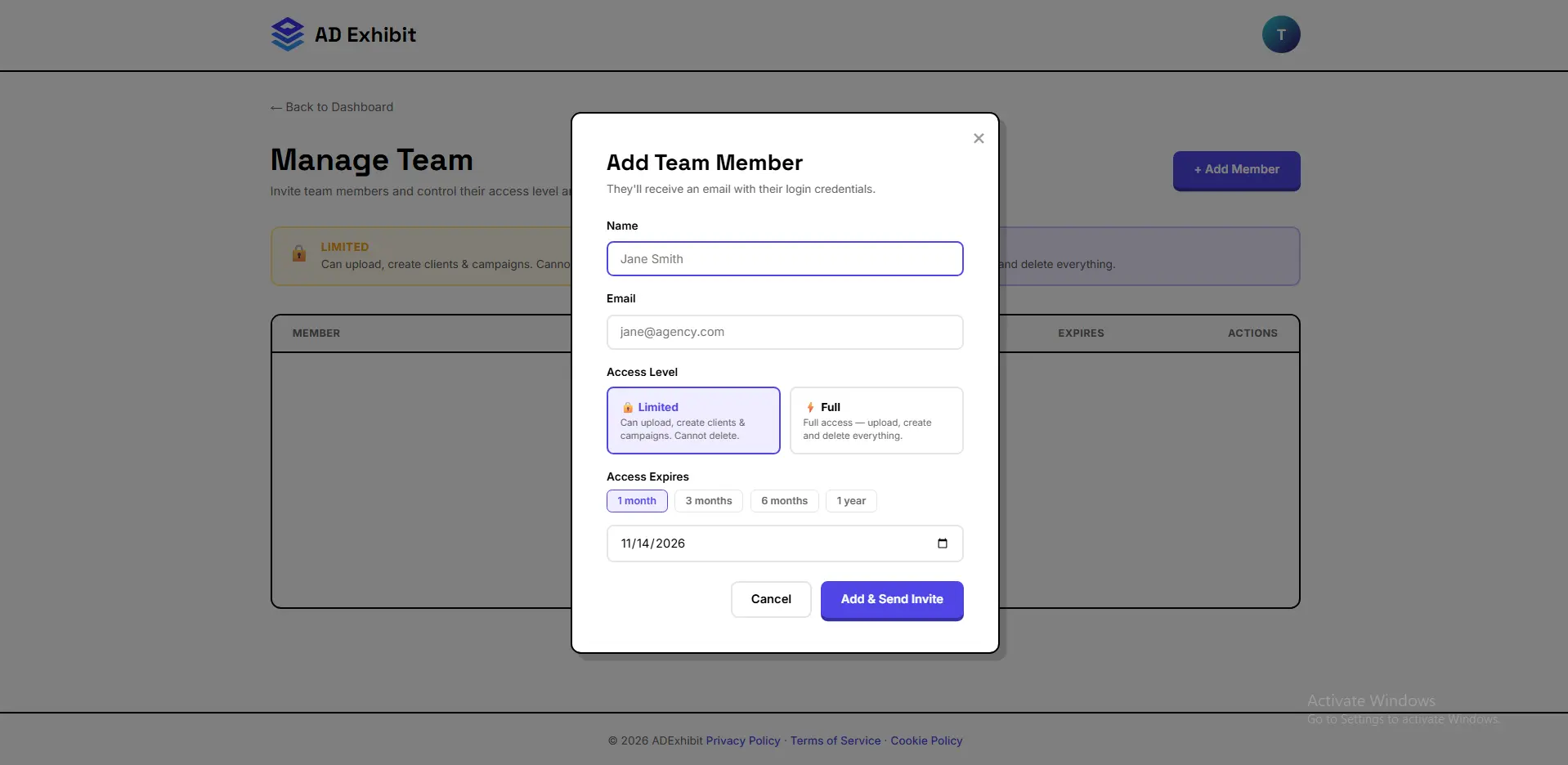
Add unlimited team members to your ADExhibit account. Everyone on the team can access campaigns, upload and organise ad creatives, run validation checks, fix HTML5 errors, and manage client previews — all from the same workspace. No more passing files over Slack or duplicating work across accounts.

Unlimited team members Shared campaigns Shared client access Role management Agency-ready

How it all fits together

ADExhibit connects every step of the ad creative process — from first upload to final client approval.

1

Upload your ad creatives

Drop in a HTML5 ZIP, an image, a GIF, or a video — or upload an entire campaign folder at once. ADExhibit organises everything by client and campaign automatically.

2

Preview and validate instantly

See a live browser preview of every banner size. Run a full validation report against Google Ads, DV360, CM360, IAB, and more. Fix any errors with one click.

3

Generate a mockup preview

Drop your creatives into real social media and website mockup shells. Your client sees the Instagram Story, the Facebook feed ad, the website banner — exactly as it will look live.

4

Share and get approval

Send a single link. Your client reviews every creative in context, leaves feedback, and approves — no login, no confusion, no more "which version was final?" emails.

5

Download and go live

Download your platform-ready, validated, fixed ad ZIPs and upload directly to the ad platform. First-time approval, every time.

Your clients deserve
better ad previews.

See Pricing

100MB free · No credit card · Cancel anytime