Tools

HTML5 Ad PreviewLive browser preview for all banner sizes HTML5 Ad ValidatorCheck compliance for Google Ads, DV360 & more HTML5 Ad FixerAuto-fix click tags & platform errors ClickTag ValidatorVerify click tags are set up correctly

Company

Features Pricing Blog About

Industries

For Freelancers For Ad Agencies For In-House Teams
For In-House Teams

Your ad ops team,
finally in sync

Managing HTML5 banner campaigns in-house means juggling brand guidelines, platform specs, internal reviews and stakeholder sign-off. ADExhibit brings it all into one place so your team ships campaigns faster and cleaner.

See All Features
How it works
1

Centralise all ad creativesOne workspace for every campaign

2

Validate against platform specsGoogle Ads, DV360, CM360 & more

3

Share with stakeholdersPreview links with real mockup context

4

Get sign-off & go livePlatform-ready ZIPs, first-time approval

In-house ad ops has its own unique pain points

Fast-moving campaigns, multiple stakeholders, tight brand standards — and tools that weren't built for you.

Stakeholder approvals take weeks

Getting sign-off from marketing leads, brand managers, legal and comms on the same set of creatives — via email, over Slack, with attached ZIPs — can take longer than the campaign itself.

Platform rejections on tight deadlines

Your campaign goes live in 48 hours and the platform just rejected your entire banner set for a click tag issue. Your developers are already on the next project.

No single source of truth for creatives

v3_FINAL_approved_USE_THIS.zip in someone's downloads folder is not a creative management system. Version confusion wastes hours and ships the wrong assets.

01

Centralised creative management

One workspace for every campaign, every format, every team member.

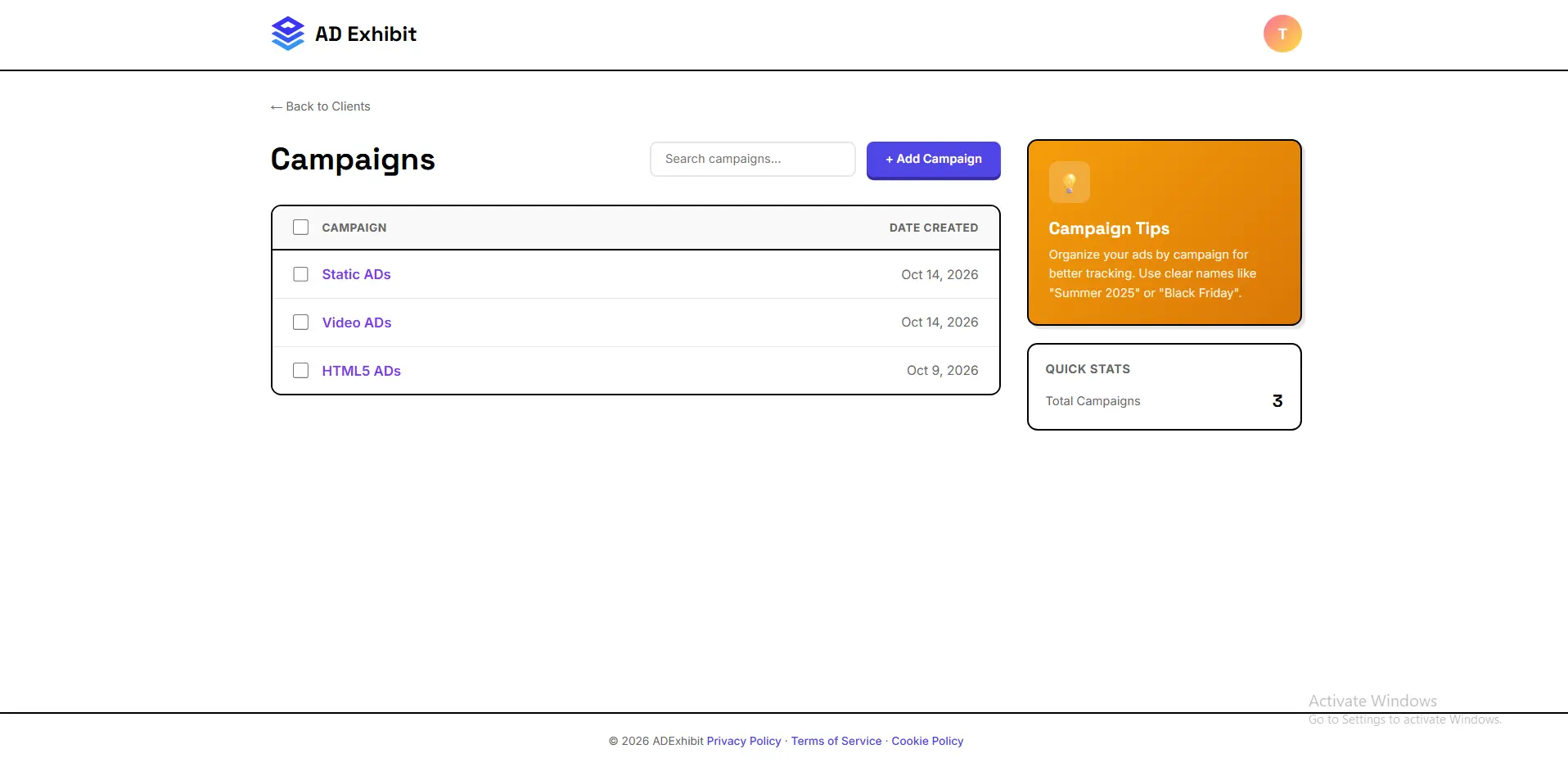
Upload and organise all your HTML5 banners, image ads, GIFs and video assets in a structured campaign workspace. Every team member — designers, developers, campaign managers and brand leads — sees the same files, the same status and the same version. No more shared drives, no more version confusion.

Centralised workspaceAll ad formatsVersion controlUnlimited team membersCampaign organisation

Creative Dashboard
— add screenshot here

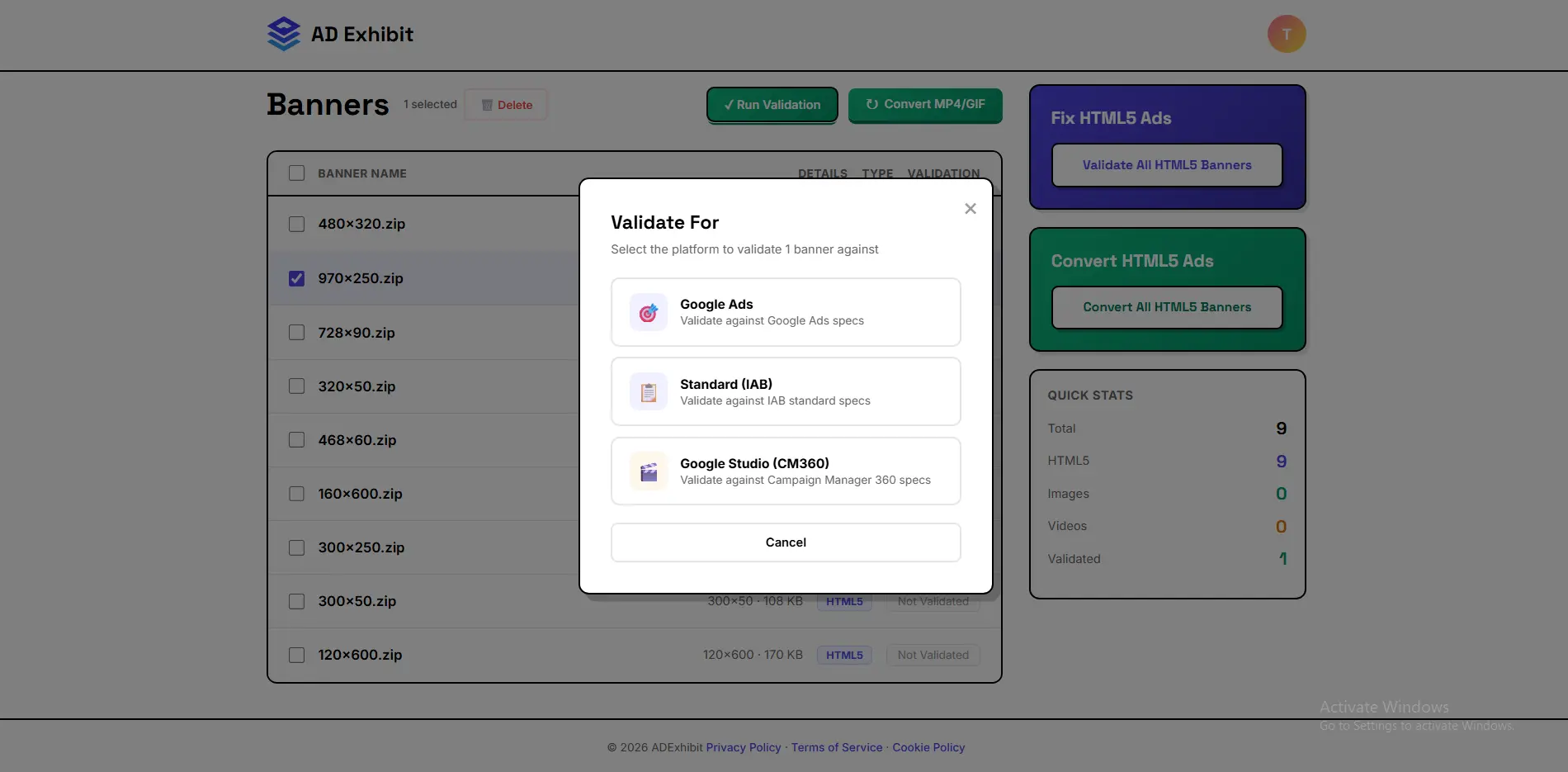
Validation Dashboard
— add screenshot here

02

Platform validation at scale

Catch compliance issues before they become launch-day emergencies.

Every HTML5 banner your team produces goes through ADExhibit's automated validation engine before it ever reaches a platform. Google Ads, DV360, CM360, IAB, and 15+ other specs — checked in seconds. Issues are flagged clearly and fixed automatically. Your developers stop firefighting platform rejections and start shipping on schedule.

Automated validationAuto-fixGoogle AdsDV360 / CM360IAB Standards15+ platforms
03

Stakeholder previews in real context

Get sign-off from people who've never opened a ZIP file in their lives.

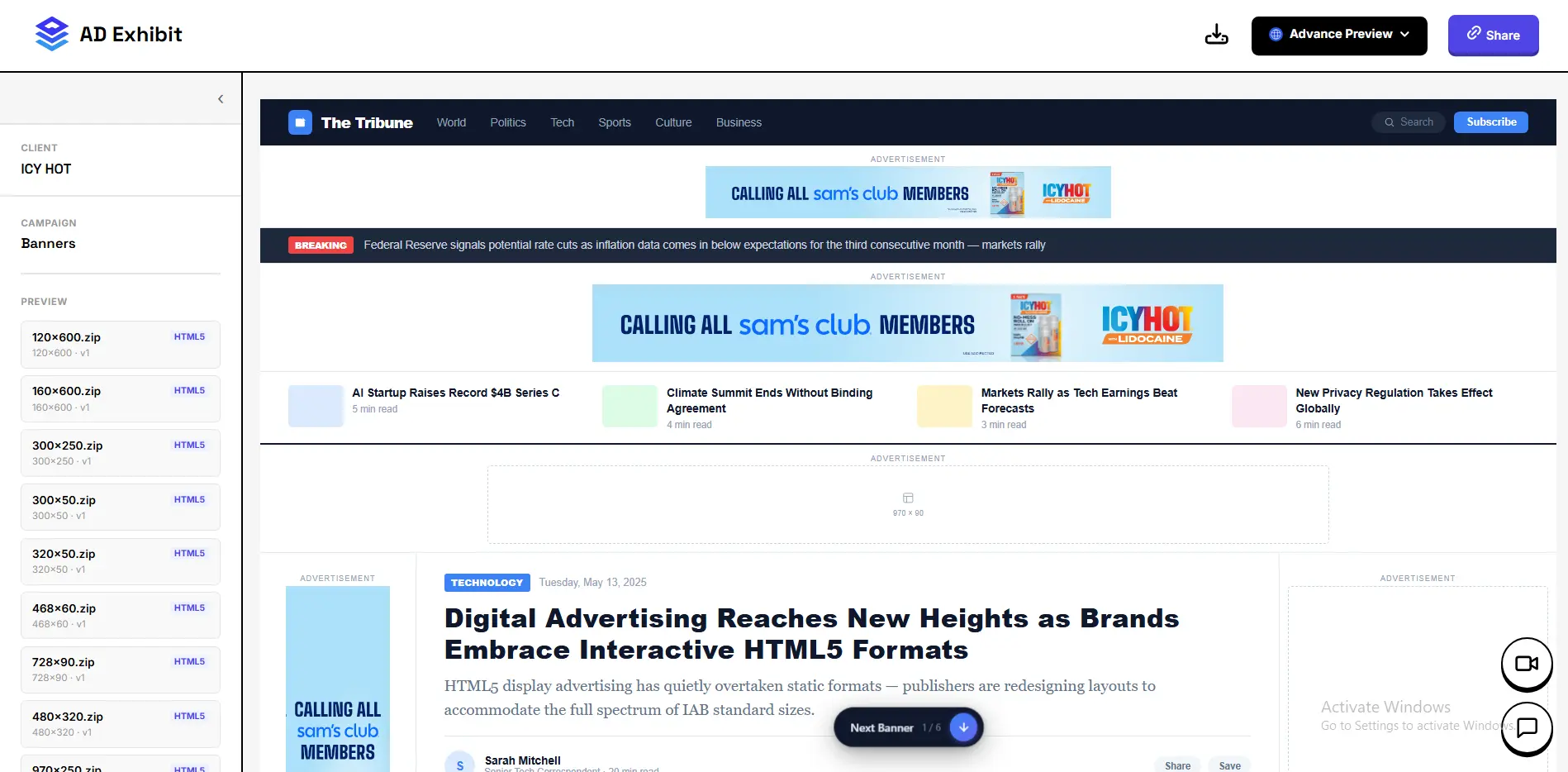
Generate a shareable preview link for any campaign. Your CMO, brand manager or legal team opens it on their phone and sees every creative exactly as it will appear — inside real Instagram, Facebook, website and display placements. They understand what they're approving, they leave clear feedback and they sign off faster. No login, no ZIP, no 'what am I looking at?'

No-login stakeholder accessSocial media mockupsWebsite placement mockupsIn-preview commentsOne link per campaign

Stakeholder Preview
— add screenshot here

Audit & Approvals
— add screenshot here

04

Built for your brand standards

Consistent, compliant creatives across every campaign and every platform.

In-house teams live and die by brand consistency. ADExhibit keeps your entire creative output in one place with a clear audit trail. Every version is tracked, every validation result is logged and every approval is recorded — so when brand or legal asks 'which version was signed off?', you have the answer in seconds.

Audit trailVersion historyApproval recordsBrand consistencyCompliance logging
"

Our stakeholder approval process went from two weeks of email chains to a single shared link. Our campaign leads can't believe how simple it is.

P
Priya K.Head of Digital Marketing, Enterprise Brand

Common questions

Everything you need to know about using ADExhibit for your workflow.

Yes. Even if your HTML5 ads are produced by an external agency or freelancer, ADExhibit gives your in-house team a single place to review, validate and manage them — and to get internal sign-off before the campaign goes live.

Absolutely. That's exactly what it's designed for. Preview links show creatives in real social media and website contexts — no technical knowledge needed. Anyone on any device can review and comment.

Upload all variants — different sizes, languages and market versions — in one campaign. ADExhibit previews and validates every variant and organises them clearly so stakeholders can review by market or by size.

ADExhibit produces platform-ready ZIPs that upload directly to Google Ads, DV360, CM360 and other platforms. It's a validation and preview layer that sits before your ad server — no deep integration required.

Add your team members in a few clicks — no IT involvement needed. Everyone gets immediate access to all campaigns and workspaces. Most teams are fully up and running within the first hour.

Ship campaigns faster.
Fewer rejections. Cleaner approvals.

See Pricing

100MB free · No credit card · Cancel anytime